Music promotion for independent artists is one of the biggest challenges in today’s music industry.
Your mix is done. Your song is ready. But is it really ready for the world?
You’ve spent hours or maybe weeks writing, recording, producing, and mixing your latest track. You’ve listened to it so many times that you probably can’t hear it objectively anymore.
Now comes the final step: mastering.
Whether you’re a professional artist with years of experience or you’re releasing your first song, getting your music to sound balanced, polished, and ready for streaming platforms can make a huge difference.
That’s where OFFstep Mastering Suite comes in.
Meet Your New Mastering Assistant
OFFstep Mastering Suite is a mastering tool available on the OFFstep website that uses AI-powered technology to help refine your tracks before release.
Simply upload your track and get a free preview of how a more polished version could sound. From there, you can adjust the result according to your needs and preferences.
It’s a simple way to get another perspective on your mix and hear what’s possible before taking your track to the next stage.
Think of it as having one more set of ears in the room, without asking your producer to listen to the same mix for the 47th time.
Why Does Mastering Matter?
Great music deserves to sound great everywhere.
Your listeners might hear your song through headphones, studio monitors, a car stereo, a phone speaker, or a Bluetooth speaker at a party. A well-balanced master helps your music translate more consistently across different listening environments. Streaming platforms also have specific technical requirements for the audio files they accept. Preparing your track correctly before distribution can help you avoid technical issues and ensure your music is delivered in the best possible condition.
With OFFstep Mastering Suite, you can preview how your track could sound after mastering and make adjustments before your final release.
How Does OFFstep Mastering Suite Work?
1. Upload Your Track
Start by uploading your mix to the mastering tool.

2. Preview Your Master
Listen to a free preview and compare it with your original mix.
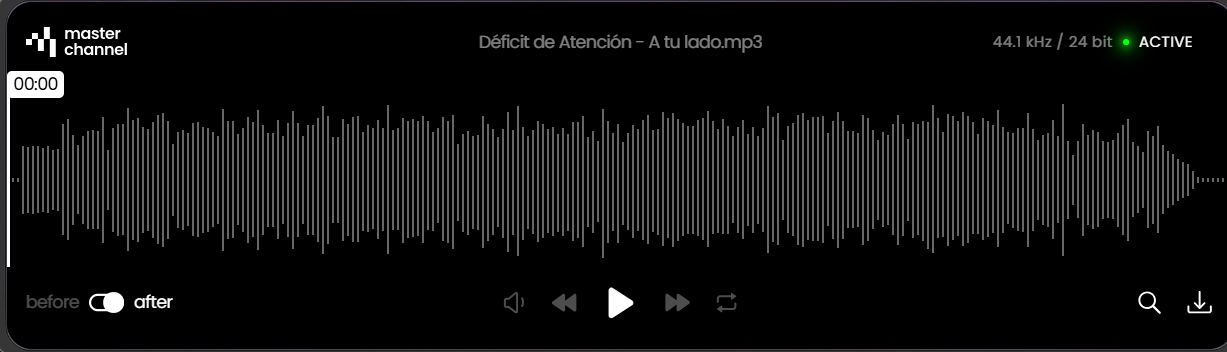
3. Adjust Your Sound
Fine-tune the result according to your preferences and the needs of your track.
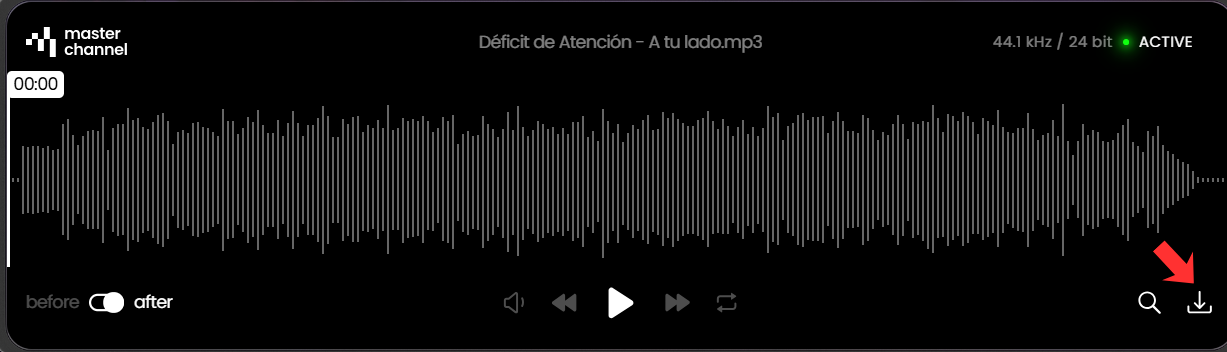
4. Get Your Track Ready
Once you’re happy with the result, you’ll have a more polished version of your music ready for the next step in your release journey.
Whether you’re preparing a single, EP, or album, mastering can be an important part of making sure your music is ready to meet your audience.
Before You Upload: How to Prepare Your Track
Want to get the best possible result? Make sure your mix is ready before sending it to the mastering tool.
Here are three things to keep in mind:
1. Keep Your Peaks Below 0 dBFS
Make sure your mix doesn’t exceed a peak level of 0 dBFS.
This helps prevent unwanted clipping and gives the mastering process the headroom it needs to work with your mix.
2. Remove Mastering Plugins
Before uploading your track, remove any limiters and other mastering plugins from your DAW’s master channel.
The goal is to give the mastering process a clean version of your mix, without additional processing already applied to the master bus.
3. Try Different Versions of Your Mix
Not happy with the first result?
Don’t immediately give up on the track or the tool.
Go back to your DAW, make adjustments to your mix, and upload a new version.
The AI can detect the changes you’ve made and generate a new result based on your updated mix.
Sometimes, the best master starts with a better mix.
A Better Way to Prepare Your Music for Release,
Mastering shouldn’t feel like a mysterious final step that only happens behind closed studio doors.
Understanding how your mix changes during the mastering process can help you become a better artist, producer, and creator.
OFFstep Mastering Suite gives you an accessible way to experiment, compare, and hear how your music can sound with a more refined master.
And the best part? You can try it before committing to a final version.
Ready to Hear the Difference?
Your music has already come a long way.
You’ve written it. Recorded it. Produced it. Mixed it.
Now it’s time to hear what happens when you give it that final polish.
Visit OFFstep Mastering Suite, upload your track, and hear how your music could sound.
Your next release deserves to sound its best.
How to Prepare Your Track Before Mastering
✔ Keep your mix below 0 dBFS
✔ Remove limiters and mastering plugins
✔ Try different versions of your mix
✔ Compare your original and mastered versions
✔ Make adjustments and upload again if needed